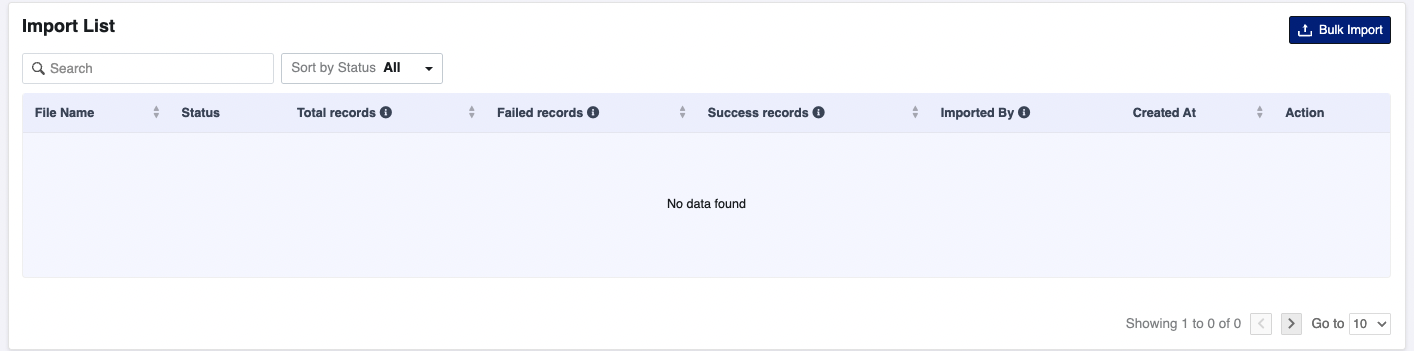
Import List
The Import List section helps you track and manage all your bulk CSV imports in one place. It gives a detailed overview of every file you've uploaded and the result of each import.
Columns Overview
Here's what each column represents:
-
File Name
The name of the uploaded CSV file. -
Status
Shows the current status of the import (e.g.,Pending,In Progress,Completed,Failed). -
Total Records
The total number of rows (links) present in the CSV file. -
Failed Records
The number of records that failed to import (due to invalid data or errors). -
Success Records
The number of links that were successfully imported and created. -
Imported By
Displays the name or ID of the user who uploaded the file. -
Created At
Shows the date and time when the file was uploaded. -
Action
Options to retry failed records, download reports, or delete an import record.
Features
-
Search & Filter:
Use the search bar or filter by status (All,Success,Failed) to quickly find your imports. -
Pagination Support:
Navigate through your import history using the bottom pagination controls.
Visual Example
Below is a screenshot of the Import List table: